Is Marvel Rivals on Steam or Epic Games Store? Yes, Marvel Rivals is available to download and play on both Steam and Epic Games Store. As a highly-anticipated free-to-play team-based shooter set in the Marvel universe, Marvel Rivals attracts gamers on a wide range of platforms, but PC players especially want clarity about where and how they can access the game. In this article, we’ll explore all the key details about Marvel Rivals’ availability on Steam and Epic Games Store, platform features, and everything players need to know for a seamless experience, regardless of their preferred digital storefront.
Marvel Rivals PC Release: Steam and Epic Games Store Explained
Marvel Rivals officially launched on December 6, 2024, giving fans the chance to play as their favorite Marvel superheroes and villains in thrilling 6v6 team-based battles. For PC gamers, the game is offered on both Steam and Epic Games Store. This means you are free to choose your platform based on your personal preference, existing library, or social features.
To access Marvel Rivals on either platform, simply search for “Marvel Rivals” in your preferred store and follow the download instructions. The game is free-to-play on both services, and does not require any purchase or subscription to start playing.
What Sets the Steam and Epic Games Versions Apart?
While both versions provide the core Marvel Rivals experience, there may be subtle differences due to platform-specific features:
- Friends & Social Integration: Steam and Epic Games Store each have their own friends lists and overlay systems. Choose the platform where you already have more friends or community groups for easier matchmaking and socializing.
- Account Progression: Although crossplay is supported, progression and in-game purchases are typically tied to the account created on your platform of choice. Transferring progress from one PC platform to another (for example, from Epic to Steam) may not be straightforward and could result in some data or purchases not carrying over.
- Platform Launcher: Each version requires you to use either the Steam or Epic Games launcher to start the game.
Marvel Rivals’ Crossplay Features
One of the major strengths of Marvel Rivals is its robust crossplay system. PC players on Steam can party up and play with those using Epic Games Store, as well as users on PlayStation 5 and Xbox Series X/S. Crossplay is enabled by default for casual matches, making it easy to connect with friends across different platforms and stores.
However, ranked mode separates PC and console players to maintain balanced matchmaking. This ensures fair competition and addresses potential differences in controller vs. mouse-and-keyboard gameplay.
PC Requirements and Download Size
Marvel Rivals boasts vibrant graphics, detailed character models, and destructible environments. Most modern gaming PCs can run the title, but checking the system requirements on the store page for either Steam or Epic Games Store is always recommended.
- Storage: The game has a moderate download size, typical for contemporary multiplayer shooters, so ensure you have enough free space before installation.
Game Overview: What You Get When You Download Marvel Rivals
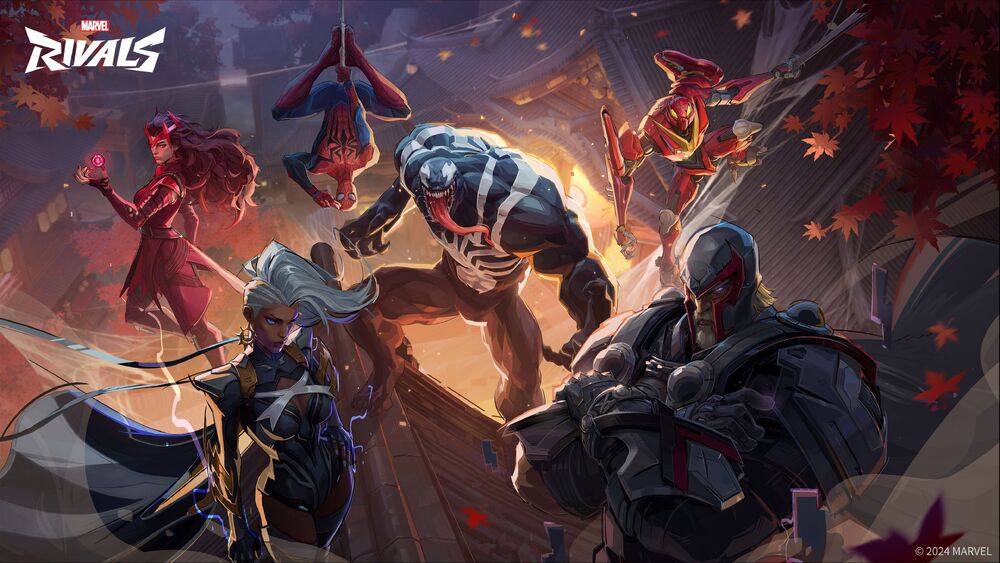
Marvel Rivals is a competitive 6v6 PvP shooter that features 25 iconic characters from across the Marvel Multiverse at launch. Players can choose from Avengers, Guardians of the Galaxy, X-Men, and many more hero or villain rosters, each with unique abilities and playstyles.
- Dynamic Team-Up Abilities: Work together with teammates to unleash powerful combos, such as Rocket Raccoon riding Groot or Hulk powering up Iron Man’s suit.
- Destructible Environments: Battle across recognizable Marvel worlds like Asgard and Tokyo 2099, reshaping the battlefield with explosive abilities and environment interactions.
This official gameplay trailer offers a closer look at the fast-paced action and visual variety Marvel Rivals brings to PC and console platforms.
How to Get Started on Steam or Epic Games Store
- Visit the Official Store Page: Open Steam or Epic Games Store on your PC, log in, and search for “Marvel Rivals.”
- Download for Free: Click the install/download button to add the game to your library at no cost.
- Create an Account: You may need to set up or link a Marvel Rivals account, which helps track your progress, friends, and in-game purchases.
- Join the Action: After installation, start the game through your chosen platform’s launcher. Follow the on-screen instructions to jump straight into the action.
Beyond PC: Marvel Rivals on Consoles
While the main focus here is on PC storefronts, it’s worth noting that Marvel Rivals also launched simultaneously on PlayStation 5 and Xbox Series X/S. However, the game is not available on previous generation consoles (such as PS4 or Xbox One), Nintendo Switch, or mobile devices. For more details and news, visit the official Marvel Rivals website.
FAQ: Answers to Common Marvel Rivals Platform Questions
Where can I download Marvel Rivals for PC?
You can download Marvel Rivals for PC from both Steam and the Epic Games Store. Simply search for the game on your preferred platform, and it’s free to install.
Is Marvel Rivals free-to-play on Steam and Epic Games Store?
Yes, Marvel Rivals is entirely free-to-play on both Steam and Epic Games Store. Once downloaded, you can access all core gameplay features without purchasing the game.
Does Marvel Rivals support crossplay between Steam and Epic?
Absolutely. Marvel Rivals supports full crossplay between Steam and Epic Games Store on PC, as well as consoles (PS5 and Xbox Series X/S) for most non-ranked game modes.
Can I transfer my progress from Epic Games Store to Steam?
Currently, account progression and purchases are tied to your chosen PC platform. Transferring progress (including unlocks and purchases) from Epic to Steam or vice versa may not be supported. It’s best to start and stick with one PC platform.
Is Marvel Rivals available on Mac, Linux, or older consoles?
No, Marvel Rivals is not available on Mac, Linux, PS4, Xbox One, Nintendo Switch, or mobile devices. The supported platforms are Windows PC (Steam and Epic), PlayStation 5, and Xbox Series X/S.
Are updates and new heroes released at the same time on Steam and Epic?
Yes, all critical updates, new content, and heroes are released simultaneously on both Steam and Epic Games Store to ensure a fair experience across the entire PC community.
Choose Your Store and Join the Marvel Mayhem
Marvel Rivals gives PC players freedom and flexibility by launching on both Steam and Epic Games Store, allowing you to join the fight alongside your friends regardless of where they play. With dynamic hero abilities, explosive maps, and continuous updates, it’s the ultimate Marvel multiplayer experience for any PC or next-gen console gamer. Download today, pick your platform, and assemble your dream team of Marvel heroes and villains!