
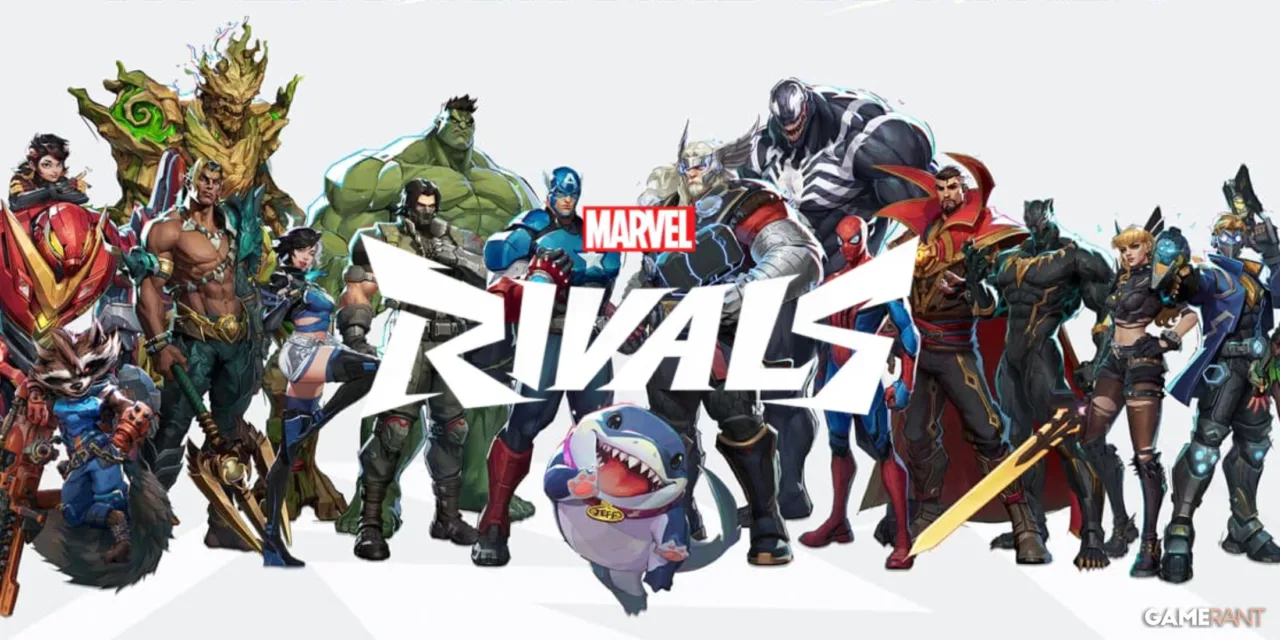
What are the system requirements for Marvel Rivals on PC? If you’re eager to suit up as your favorite Marvel hero or villain in this fast-paced team shooter, you’ll be pleased to know that the game is remarkably accessible. Marvel Rivals is powered by Unreal Engine 5, but its PC system requirements have been designed to allow smooth gameplay on a wide range of gaming rigs, even those with modest specs. In this evergreen guide, you’ll find the most up-to-date and future-proof information about the hardware and software you’ll need, tips for optimizing your experience, and answers to common player questions.
Essential Marvel Rivals System Requirements for PC
Minimum Specifications: What You Need to Get Started
- Operating System: Windows 10 64-bit (version 1909 or newer)
- Processor: Intel Core i5-6600K or AMD Ryzen 5 1600X
- Memory: 16 GB RAM
- Graphics Card: NVIDIA GeForce GTX 1060, AMD RX 580, or Intel Arc A380
- Video Memory: 3-4 GB VRAM
- DirectX: Version 12
- Storage: 70 GB available space
- Network: Broadband internet connection
These requirements allow thousands of Marvel fans to join the fray, as the listed CPUs and GPUs have been mainstream for several years. Even if your PC is not the latest model, there’s a good chance it will meet these entry-level specifications.
Recommended Specifications: The Smoothest Experience
- Operating System: Windows 10 64-bit (version 1909 or newer)
- Processor: Intel Core i5-10400 or AMD Ryzen 5 5600X
- Memory: 16 GB RAM
- Graphics Card: NVIDIA GeForce RTX 2060 Super, AMD RX 5700 XT, or Intel Arc A750
- Video Memory: 8 GB VRAM
- DirectX: Version 12
- Storage: 70 GB available space
- Network: Broadband internet connection
The recommended specs provide a noticeably smoother experience, especially if you want to enjoy Marvel Rivals at higher resolutions or with increased graphical detail. This setup allows for higher frame rates and more responsive gameplay—ideal for competitive players.
Optimizing Marvel Rivals on Your Gaming PC
Use an SSD for Faster Load Times
Installing Marvel Rivals on a solid-state drive (SSD) is highly encouraged for the best possible loading speeds and overall responsiveness. While the game will run from a traditional hard drive, assets will load more slowly, potentially impacting your gameplay experience, especially in fast-paced matches.
Update Your Graphics Drivers
Many issues with performance or compatibility (such as DirectX 12 errors) can be resolved by updating your GPU drivers. Visit your graphics card manufacturer’s website to download the latest drivers. Performing a “clean install” removes old driver files that could cause conflicts.
Configure Windows Graphics Settings
- Go to Windows Settings > System > Display > Graphics Settings.
- Add the Marvel Rivals executable (Marvel.exe) to the list.
- Select “High Performance” to ensure your PC prioritizes the game and uses your dedicated GPU.
This step helps maximize system resources allocated for the game, especially on laptops or systems with both integrated and dedicated graphics cards.
Competitive Gear: Gaining the Edge in Marvel Rivals
- High Refresh Rate Monitors: Using a monitor with at least a 144Hz refresh rate is highly recommended for shooters like Marvel Rivals. Higher refresh rates mean smoother on-screen motion and reduced input latency.
- Upgrade Your GPU: Though a GTX 1060 is the minimum, moving up to an RTX 3060 or better ensures high frame rates and allows you to crank up graphics settings without sacrificing performance.
- Responsive Peripherals: Pair your gaming PC with a wired gaming mouse and mechanical keyboard for lower latency and more reliable inputs during intense firefights.
Where to Play Marvel Rivals: Platform & Storefront Overview
Marvel Rivals is available across multiple major platforms, making it easy to access the game wherever you prefer. You can download it for free from the Steam Store or grab it from the Epic Games Store. Cross-platform play is enabled by default, so PC players can team up or compete with friends on PlayStation, Xbox, and via the official Marvel Rivals website.
Addressing Common PC Gaming Challenges
DirectX 12 Not Supported Errors
If you receive a “DirectX 12 is not supported on your system” notification, update your graphics drivers and verify Windows 10 is upgraded to at least version 1909. This ensures your PC can take advantage of the latest graphics technologies and fixes many compatibility problems.
Managing Storage and RAM
Marvel Rivals demands approximately 70 GB of disk space and 16 GB of system memory (RAM). Systems with only 8 GB RAM may not meet the requirements and could encounter significant performance bottlenecks or stability issues. Make sure your PC’s hardware meets or exceeds these numbers for the most reliable gameplay.
FAQ: Marvel Rivals PC System Requirements
Does Marvel Rivals support Windows 11?
Yes, Marvel Rivals is compatible with both Windows 10 (version 1909 or newer) and Windows 11. The game requires a 64-bit operating system for best results, and both OS versions work as long as your hardware meets the minimum system requirements.
Can I play Marvel Rivals on a laptop?
Marvel Rivals can run on modern gaming laptops that meet or exceed the minimum hardware specs: 16 GB RAM, an Intel Core i5-6600K (or AMD equivalent), and at least a GTX 1060 or similar GPU. For best results on a laptop, ensure the dedicated GPU (not integrated graphics) is prioritized for gaming through your system’s display settings.
Will Marvel Rivals run on a PC with 8 GB RAM?
The official minimum requirement is 16 GB RAM. Running the game on an 8 GB system may lead to crashes, slow load times, and low frame rates. For a consistent and enjoyable experience, upgrading to 16 GB RAM is highly recommended before attempting to play.
Is an SSD required for Marvel Rivals?
An SSD is not strictly required but is strongly recommended. Installing Marvel Rivals on an SSD drastically reduces loading times and helps prevent asset streaming issues during gameplay, especially in large maps or intense battles. Traditional HDDs are supported but offer slower performance.
What graphics settings can I use on a minimum spec PC?
Players on the minimum required hardware can run Marvel Rivals at basic settings, typically 1080p resolution with low to medium graphics options. You may need to disable additional visual effects to maintain a consistent frame rate, especially during hectic scenes.
How do I troubleshoot low FPS or crashes?
If you experience low frame rates or frequent crashes, check that your graphics drivers are up-to-date, close background applications to free up system resources, and lower in-game graphics settings. Installing the game on an SSD and ensuring sufficient RAM (16 GB) can resolve many common issues. If problems persist, verify game file integrity via your chosen storefront’s options.
Stay Ready for the Action
Marvel Rivals brings fast-paced, superhero action to PC without demanding the latest in cutting-edge hardware. By meeting or exceeding the listed system requirements, optimizing your system settings, and using the right peripherals, you’ll be primed for victory whether you’re defending the multiverse solo or teaming up with friends. For additional technical support, community guides, and performance tips, refer to the official resources and gaming forums dedicated to Marvel Rivals.